Cláirseach

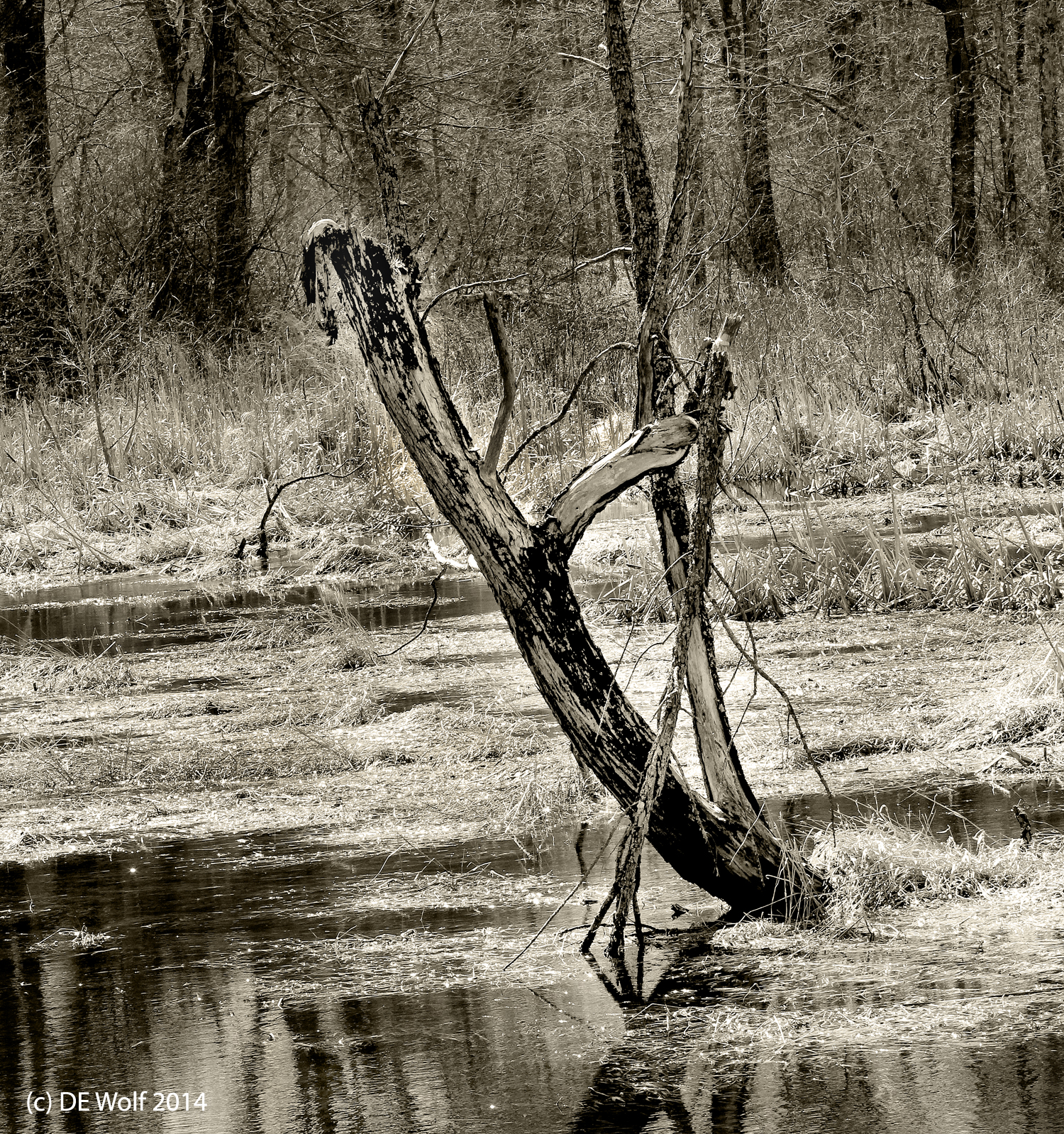
Figure 1 - The , Sudbury, MA, (c) DE Wolf, 2014.

Figure 1 – The  Cláirseach, Sudbury, MA, (c) DE Wolf, 2014.

There is a bridge over a bog in the Sudbury River watershed on Landham Road, in Sudbury that I often drive over.  It is a beautiful place and I have tried to photograph there in all seasons. I am particularly drawn to old tree stumps and a wonderful beaver dam.  Last Sunday I thought that I would try to capture it in this early spring light.  The sun was reasonably intense and glistened off the water.  Everything was still dead, which won’t last for long.  All the signs of spring are there.  I loved the bearing of this old tree (Figure 1) looking ever so much like an Irish harp or cláirseach. You may recall my blog in January about pareidolia.

As for the blah-de-blah…  This was taken using a monopod with my Canon T2i using my EF70-200mm f/4L USM lens at 84 mm.  I fall in love again with this lens every time. ISO was 400.  Exposure was 1/250 sec at f/11.0.

Shadows and geometrics

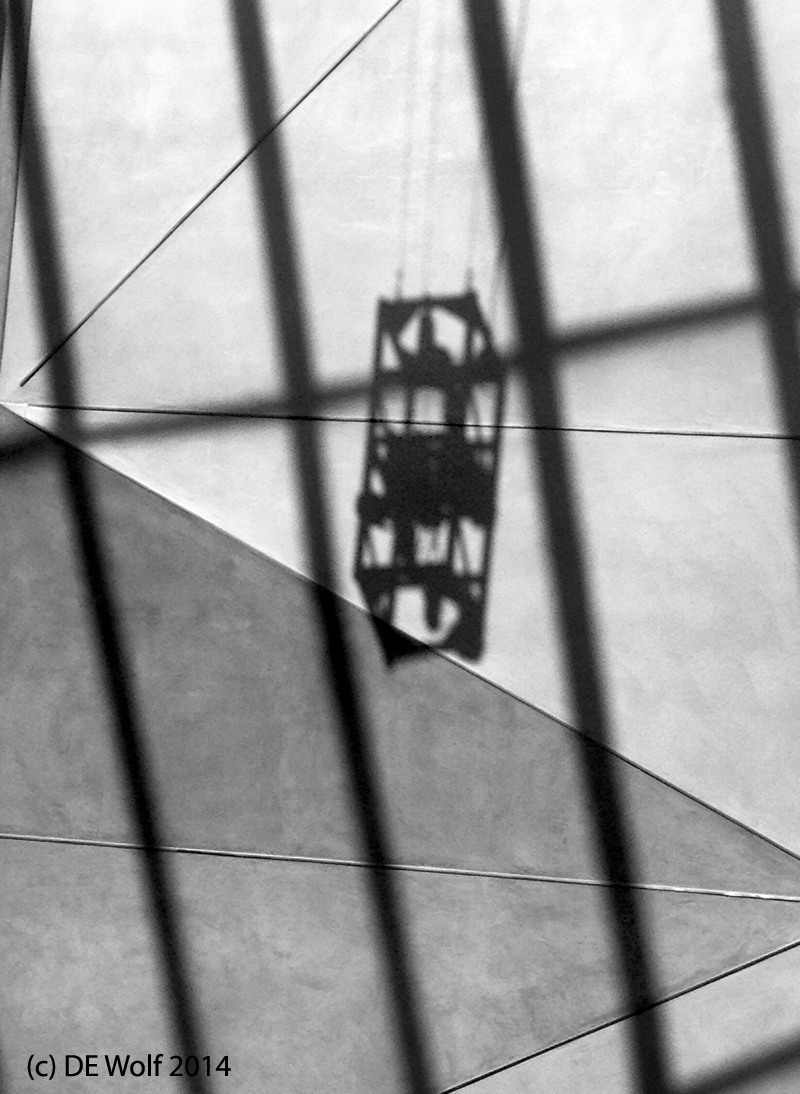
Figure 1 - Shadows and Geometrics, (c) DE Wolf 2014.I was struck the other morning by this combination of shadows and geometric patterns on a wall.  It seemed the perfect indulgence for an IPhone image, converted to pure greyscale, and I felt, in the end, that it was better without any toning.  I had zoomed in just a bit when I took the image.  As a result, I found that any amount of sharpening accentuated the pixels unpleasantly.  So in the end I did some cropping on the final image and a little dodging to light zones in the shadow regions and and complementary burning in to shadows in the light areas.  I like the end result and I am almost always amazed at what the IPhone 4s camera can accomplish.

Digitizing 35 mm slides


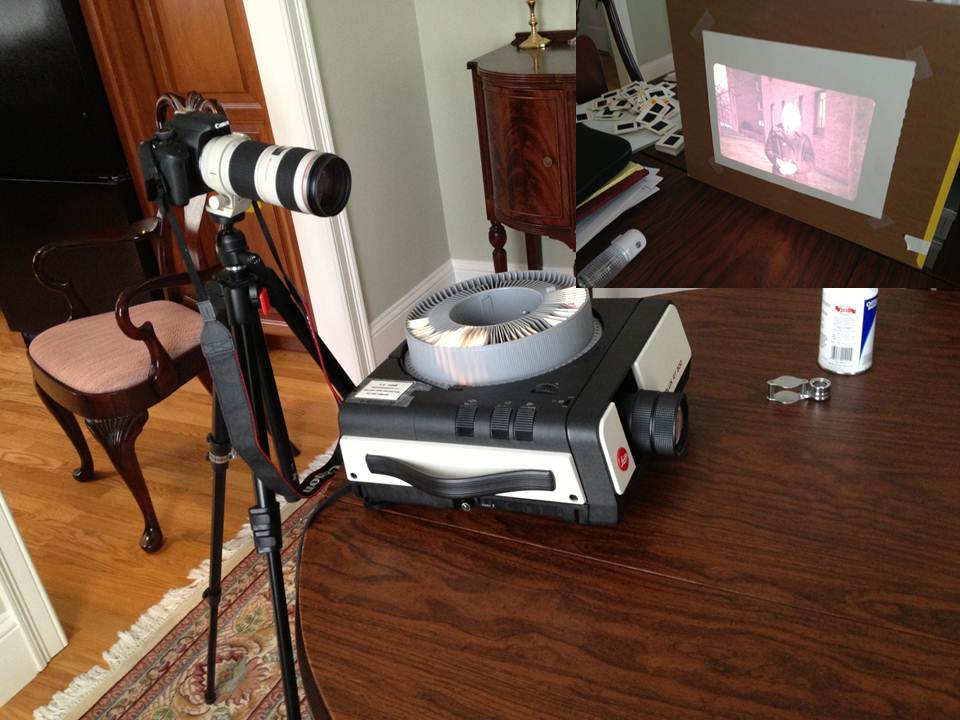
Figure 1 - Using a slide projector to digitize slides.  Insert top right shows slide projected on screen.  Method proved to be unsatisfactory because of the projector's lens quality. (c) DE Wolf 2013.

Figure 1 – Using a slide projector to digitize slides. Insert top right shows slide projected on screen. Method proved to be unsatisfactory because of the projector’s lens quality. (c) DE Wolf 2013.

I am a little perplexed, but I was doing some housekeeping on Hati and Skoll and discovered this blog that was meant to post on May 5 of last year, never did.  The world went on.  However, it covers what I think is a relatively important technical topic; so I thought that I would correct the error and post it today.

Recently, I decided to digitize my fairly voluminous collection of 35 mm slides.  This is not a trivial undertaking, but it does serve a couple of fun purposes.  First, you get to revisit all those “Kodak moments,” and second all the manipulations and subtle modifications that you wanted to do but couldn’t are no at your fingertips.

Actually, this last point is interesting.  In the glory days of film, you had three choices: take slides, where once you mastered the medium, what you took was what you got; take color prints, where what you got was invariably washed out by the commercial lab’s print machine’s compulsion to set overall intensity to neutral gray;  do your own color work, which was a truly daunting task, because of the level of temperature control required. This is not to mention expense. This all sounds like whining, but is pretty much true.

So, I went to the closet and unearthed the hundred of slides that I have squirreled away there and sorted them out into three not so neat piles: rejects, maybes, and definites.  So far so good.  Now I had to figure out out how to digitize them.  1. flatbed scanner? – don’t even think about it. 2.   Have a service do it for you? – I’ve had bad experiences with this, but obviously it’s going to depend on the service and their equipment. 3. – get a slide copier? – I’ve not been happy with the sharpness this provides, but others have had success. 4. Get a slide copying attachment that screws into the from of a camera lens? – I’ve read such bad reviews of this approach that I decide that even at ~$40  it wasn’t worth the effort. 5. Put the slides in a slide trade.  Put the slide tray in a projector. Project the slides on a sheet of paper, and take digital images.  6. Put the slides one by one on a viewing box and copy them with some kind of closeup lens system.
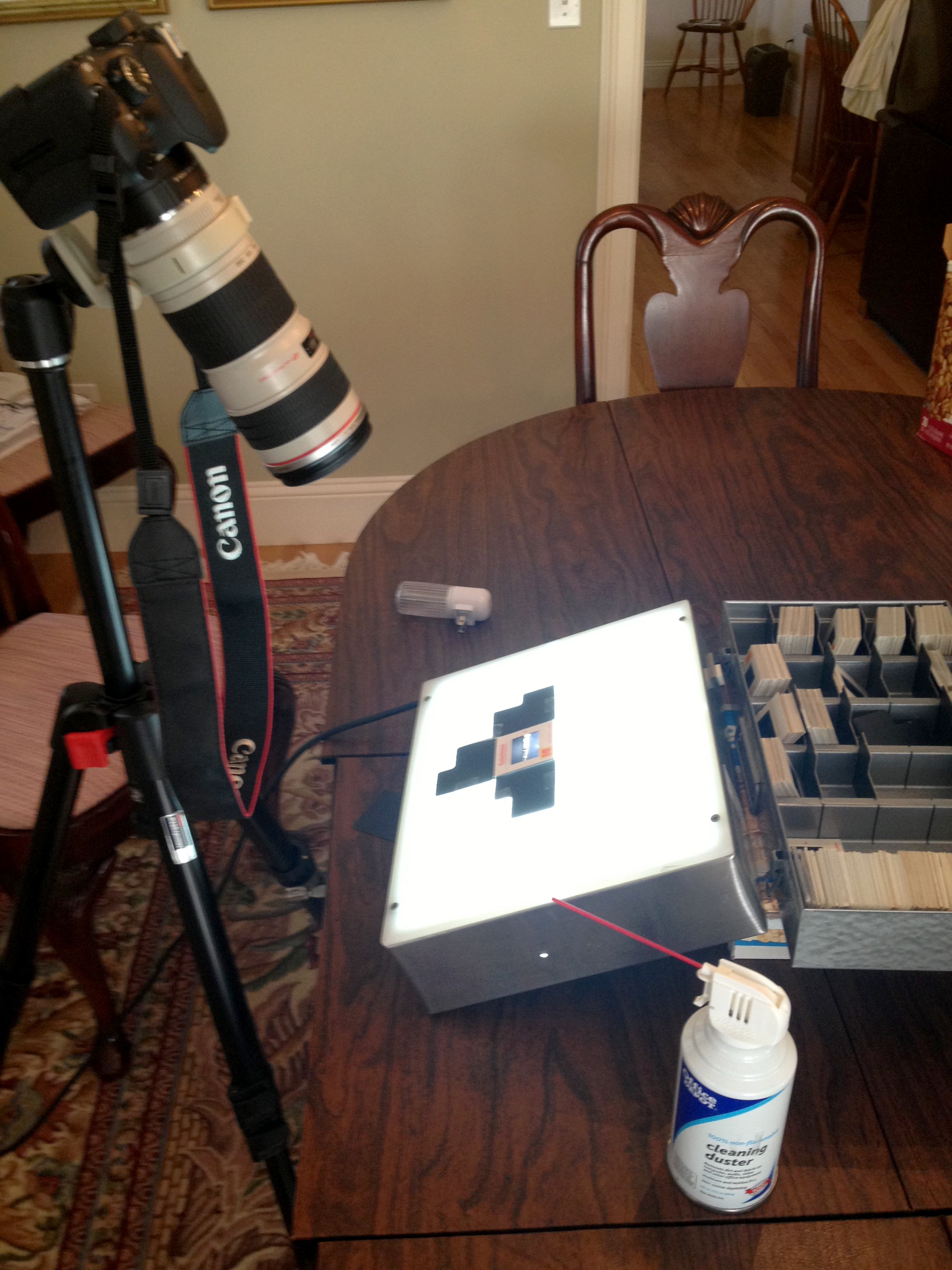
Figure 2 - Using a clos-up lens and opalescent light box to digitize slides. (c) DE Wolf 2013.

Figure 2 – Using a close-up lens and opalescent light box to digitize slides. (c) DE Wolf 2013.

The first method that I tried is number 5, and I have an picture of my setup in Figure 1.  Basically, you’ve got a slide projector, which tips the image slight vertically and then the camera behind the projector with a compensating tilt.  This would be so great and convenient, if it worked.  The problem is that the projector lens is the rate limiting factor.  I chose a Leica Slide Projector in the hopes that the lens would be up to the job.  And bottom line there is nothing that I hate more than a fuzzy picture. REJECT!

So then I setup the system shown in Figure 2, which is method 6 above.  Since it works well let me explain it in detail.

  1. Slide is copiously clean with compressed air.
  2. Slide is placed emulsion side up (that’s the duller side) on an opalescence (untextured) light box.  Again the box is tilted and the camera has a compensating tilt so that it is perpendicular to the light box. You can also obviously use a copying stand, or use a piece of opalescent plastic taped to a window.  Note the black paper jig that I built to mask out excess light and hold the slide in place.  This way you will get the exposure right and also there will be no glare in the image.  It is important to position the slide so bottom is bottom and top is top, that is so that the subject looks right.
  3. I am using a zoom lens at 100 mm focal length, with manual focus, and there is a closeup extension tube on the camera body.  I had some interesting problems with this.  First, my Tamron zoom lens was not up to the job of getting a crisp image.  It never is.  I then tried my Canon EFS 18-55 mm zoom and found that it would not work with my extension tube.  the electrical connection wouldn’t work.  I then resorted to my Canon L Series 70 to 200 mm zoom.  This worked beautifully, with the one exception that the ideal is to totally fill the field of view with the image.  I had to settle for only half filling the field of view.  However, my Canon T2i offered enough pixels that this was not a serious drawback (as you will see).  I set the f-number to 7.0, because as we have shown previously this is approximately where maximum sharpness is achieved on a flat subject.  I shot at 100 ISO and adjusted the exposure compensation according to the detail on each slide.  (Yes, this is a lot of work.  But it is worth the effort).  I always take raw image format. FOCUS VERY CAREFULLY!
  4. Next take the picture, making sure that things look right in terms of the focus and the dynamic range.
  5. Convert the image to a TIF file.
  6. Next in your image processor you NEED TO FLIP THE IMAGE HORIZONTALLY.  That is you need to make a mirror image.
  7. Then crop the picture to get rid of any images of cardboard.
  8. Then adjust the levels to set a reasonable white, black, and gamma.
  9. You are now ready to make any additional adjustments.  One important point is sharpening.  I tend to use Smart Sharpen for Lens Blur in Adobe Photoshop.  I usually sharpen between 4.0 and 8.0 pixels (depending upon the subject) with an average of about 6.0.  If you need to sharpen more, you’ve got a lens or focusing problem.

As an example, Figure 3 shows and image that I took of the San Francisco skyline from the Sausilto Ferry in 1975.

Figure 3 - "San Francisco from the Sausilito Ferry, 1975," Digitized 35 mm Kodachrome Transparency." (c) DE Wolf 2013.

Figure 3 – “San Francisco from the Sausilito Ferry, 1975,” Digitized 35 mm Kodachrome Transparency.” (c) DE Wolf 2013.



Changes to the Hati and Skoll Gallery

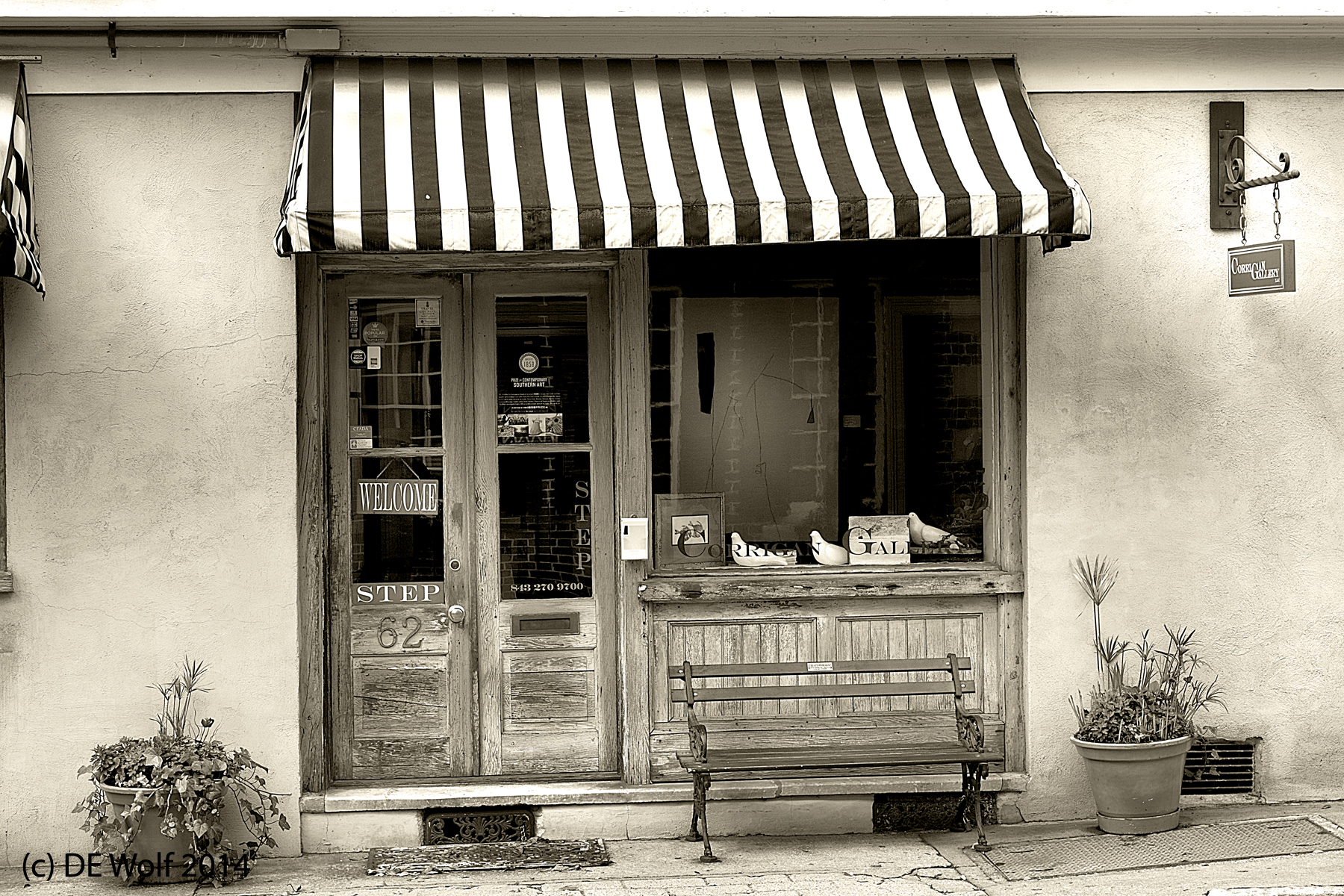
Figure 1 - The Corrigan Gallery at # 62 Queen Street, Charleston, SC, (c) DE Wolf 2014.

Figure 1 – The Corrigan Gallery at # 62 Queen Street, Charleston, SC, (c) DE Wolf 2014.

It’s time again to update and make a few changes to the Hati and Skoll Gallery.  But I always like to start by thanking the growing number of people who are visiting Hati and Skoll and commenting on the site, through social media, and by email directly to me.  I appreciate your interest and love your feedback.

The changes today are fairly straight forward.  I have populated the “New Gallery” with pictures from my Charleston, SC trip.  Some of these I’ve posted before, and others you haven’t yet seen.

A wonderful spring to everyone, except of course to our many readers in the Southern hemisphere! 8<)

David

The face of the Devil on Market Street

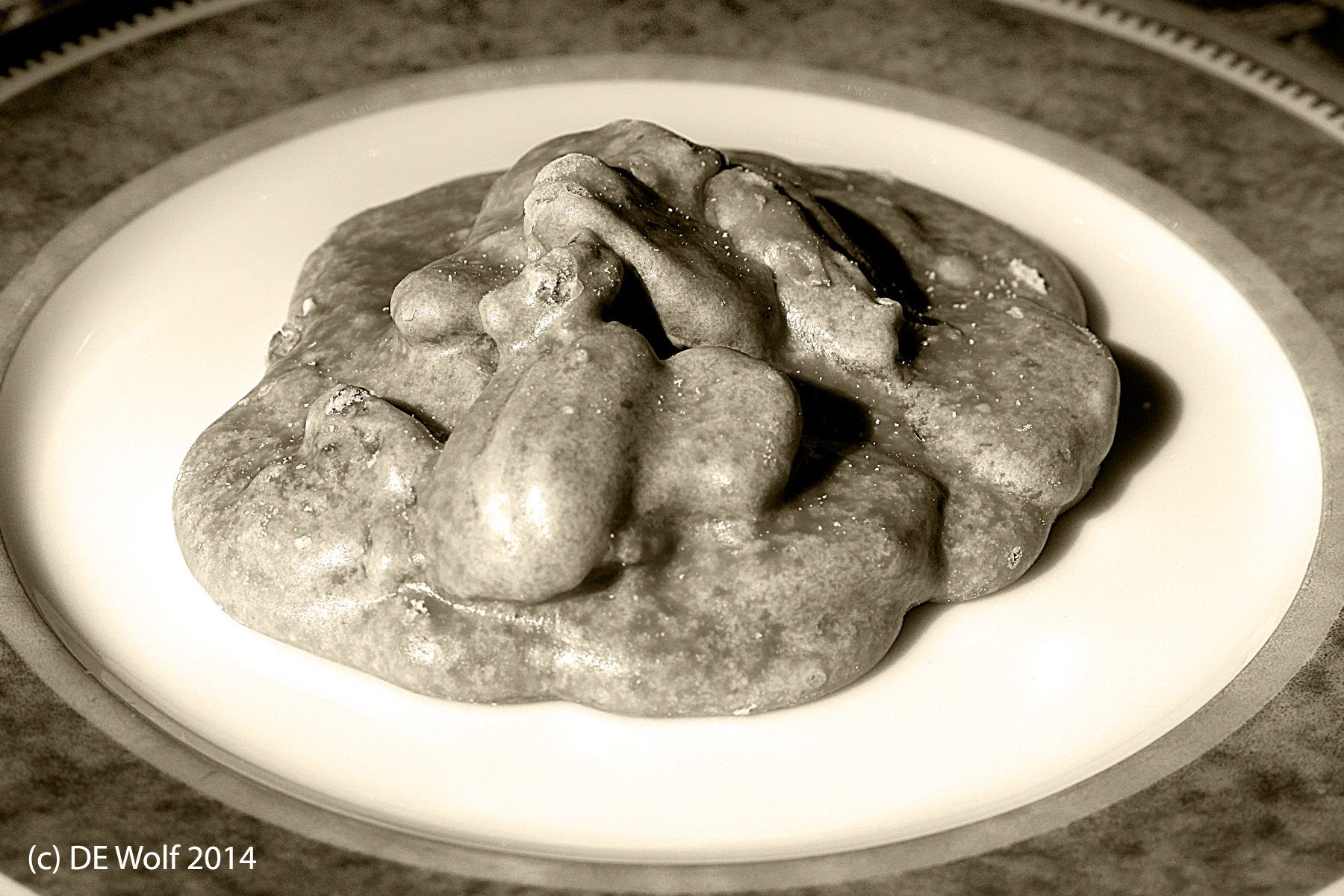
Face of the Devil, Charleston, SC, (c) DE Wolf 2014.

Face of the Devil, Charleston, SC, (c) DE Wolf 2014.

If you’re a dieter, then let me show you the face of the Devil – something sinful and irresistible. We bought it at River Street Sweets, 100 Market Street in Charleston, SC, transported it back to Boston, and there it sits on a plate begging to be eaten.  This is a genuine River Street Sweet’s praline.  You are  lured from the street by a warm and wonderful smell, you are given a sample by a sweet talking confectioner, and then you are sent to the back of the line where you purchase your own supply.

I first encountered pralines years ago in New Orleans and as a physicist I am mesmerized by them .  It just does not seem quite possible to pack so much carmelized sugar and nutty wonderfulness into so small a space.

Have one by itself.  Have one with coffee. Have one with champagne.  But you must have one.Sigh!


Espresso, photography, and good company at the City Lights Cafe in Charleston, SC

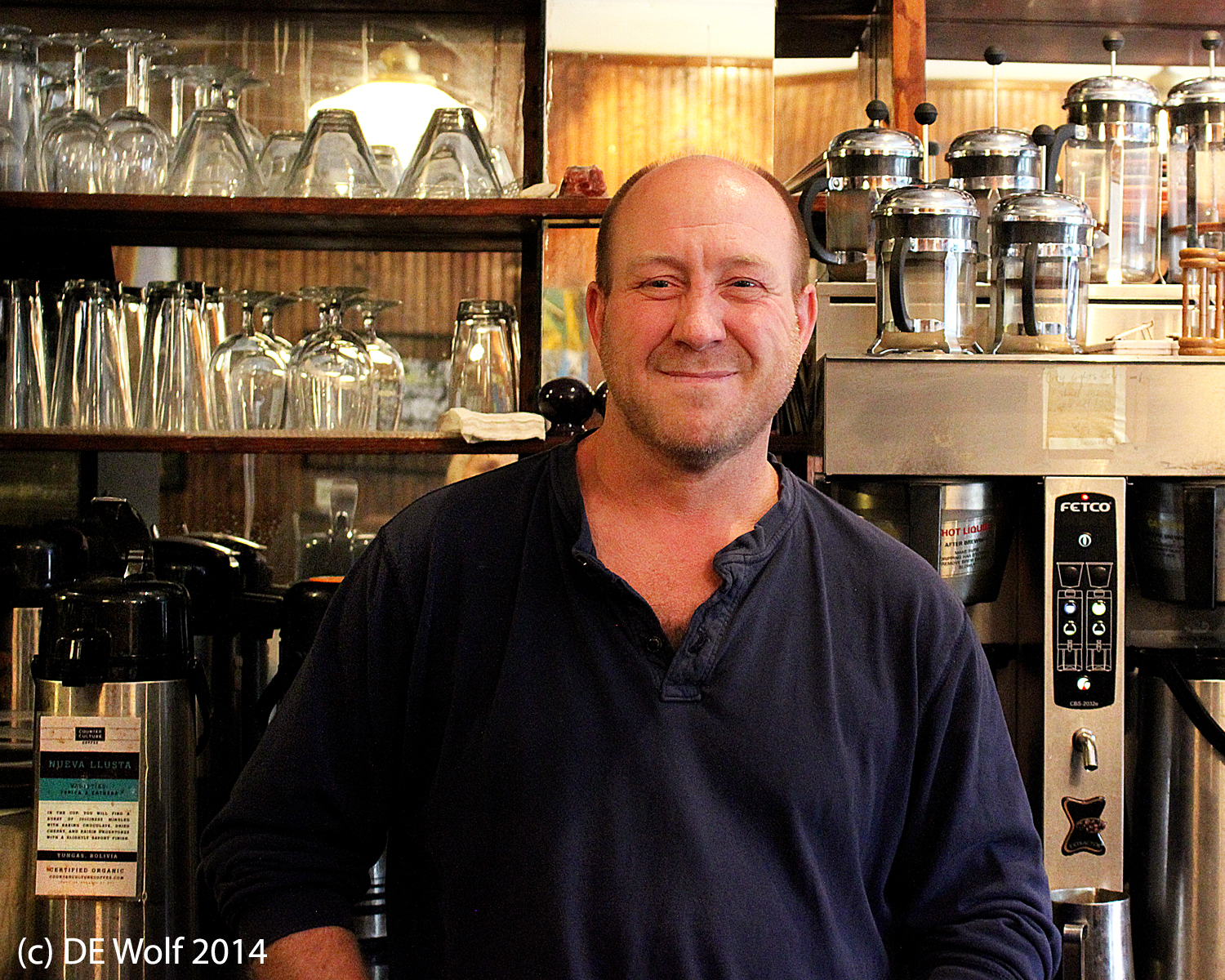
Figure 1 - Greg Lampton-Carr at Citylights Coffee, Charleston, SC, (c) DE Wolf 2014.

Figure 1 – Greg Lambton-Carr at City Lights Coffee, Charleston, SC, (c) DE Wolf 2014.

My wife and I were escaping a very cold rain one afternoon, when we wandered into Charleston’s City Lights Coffee at 141 Market Street.    For people like me, this is just what you are looking for in a coffee shop: excellent coffee (made by people who care), wonderful coconut cake, and if you are looking for something more substantial breakfast and lunch.  It is just wonderful.  The cafe also features the work of local Charleston artists.

I love the ambiance of genuine coffee houses; so I asked proprietor Greg Lambton-Carr if he would pose for a picture against the apparatus and paraphernalia of coffeedom (Figure 1).  He was gracious enough to agree, and then my wife commented “watch out this is liable to appear on his blog” (which BTW it now has).  This immediately led to the question of what my blog is about, and it turned out that Greg is himself a professional photographer and blogger.  He is a South African, fairly recently settled in Charleston.  He works in both film and digital media.  His work can most recently be found in Oblique Magazine and Charlie Magazine.  I highly recommend a to Greg’s website.  There you will find wonderful examples of his fashion work (including underwater fashion shots), charming portraits, and wildlife photographs.

So what was meant to be a quick espresso and coconut cake on a cold afternoon turned into a warm discussion of photography and gravity waves.  As I’m writing this, back in Boston I find myself wishing that I was back in City Lights Coffee.  So anyone who gets the opportunity should really do so.  You won’t forget it!

My favorite

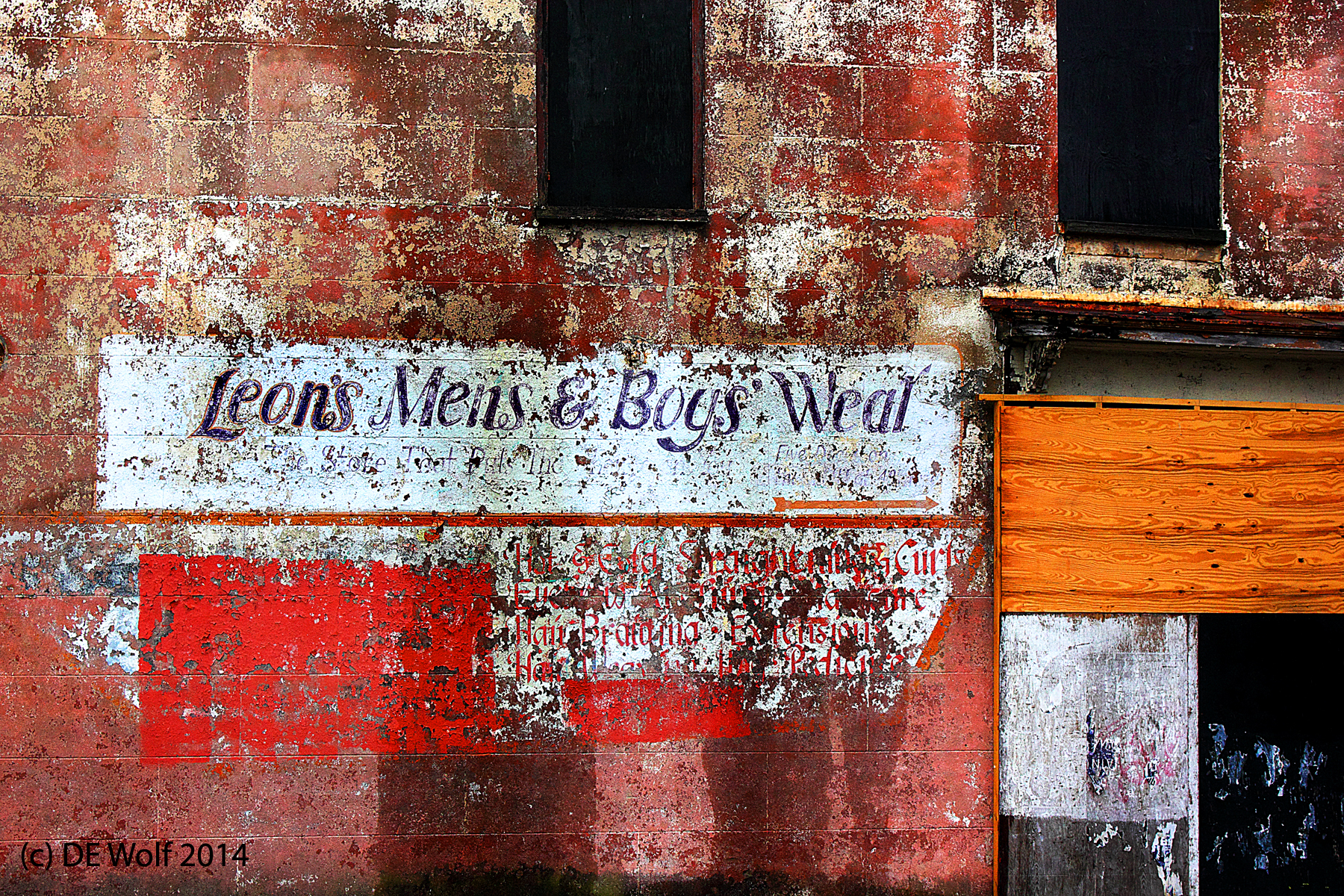
Figure 1 - Leon's Men's and Boy's Wear, Charleston, SC, (c) DE Wolf 2014

Figure 1 – Leon’s Mens and Boys’ Wear, Charleston, SC, (c) DE Wolf 2014

I’m in need of a mood boaster today; so I am going to post my favorite photograph from my recent vacation.  I worked a little outside my usual workflow on this trip.  Usually I take my pictures and then, at night, I work them up.  So I tend to stay current. I took my tablet with me and was planning on processing my images with LightRoom instead of PhotoShop; but I wound up without a way of transferring the images from my camera onto my computer.  This had two consequences.  First, I had to keep the images in my head – constantly mulling them over unil I got home.  And second, when I got home I had this large stockpile to go through.  It kind of puts everything in a different perspective or light.

On this particular day, it was raining, and I had left my camera in the car, while we had lunch.  Heading back to the car in a drizzle I was struck by this faded painted sign on the wall of a building and thought yes, this is a picture.  One point about cloudy days is that you can think pastels; you can think Kodachrome.  So I went back to the car; hesitated for a moment as to which lens to use, went out, and took the picture of Figure 1.  Don’t know about you, but I love it.  And I knew that I would love the results as soon as I looked at the LCD screen on the back of my camera as I was meticulously removing water drops.

I’ve been fairly strict with myself about processing – pretty much doing it in the order that the images were taken and as a result this was an image that I had to wait to process. For me it was worth the wait.  Oh and as for all the blah blah blah that you don’t care about.  Taken with my EF-S18-55mm f/3.5-5.6 IS STM lens, IS on, ISO 800, no compensation, at 41 mm, 1320th sec. f/9.0.


Simple gifts

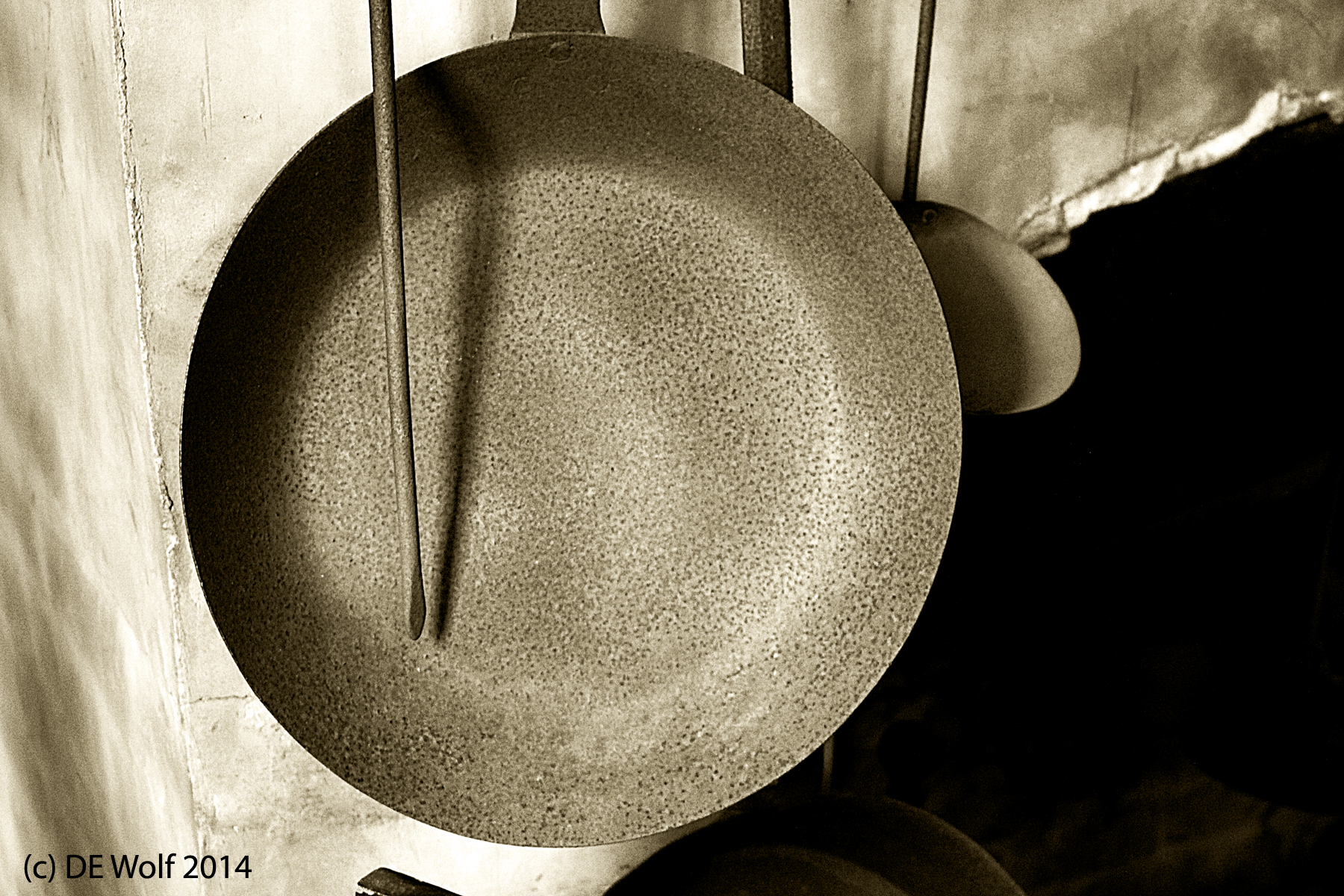
Figure 1 - Simple Gifts, Antique cooking utensils, Charleston, SC, (c) DE Wolf 2014.

Figure 1 – Simple Gifts, Antique cooking utensils, Charleston, SC, (c) DE Wolf 2014.

The phrase “simple gifts” refers to the Shaker song by that name and to the theme derived from it in Aaron Copeland’s “Appalachian Spring.”  At a deeper level it refers to the pure beauty that may be found in simple, often utilitarian, things.  And photographically this theme has been wonderfully dealt with in Linda Butler’s portfolio book “Inner Light: The Shaker Legacy.

While in Charleston, we went on a tour of the exquisite  Heyward-Washington House.  This Georgian double house structure was built in 1772 by Thomas Heyward Jr a patriot leader in the Revolutionary War and a signer of the Declaration of Independence. In May of 1791 George Washington rented the home – hence the name.

When we entered the house, I asked the tour guide about the photography policy and was pleased to learn that non-flash photography was allowed. Later the guide asked why I had not taken any pictures.  Perhaps she did not notice the gloominess of the day and the fact that we had been touring the home like troglodytes albeit with sunny dispositions.

But then I went into the kitchen.  The kitchens were detached to prevent the danger of fire.  In the kitchen I found some antique cooking utensils hanging on the wall and the Shaker theme came immediately to mind.  The result is Figure 1.

“Tis the gift to be simple, ’tis the gift to be free

‘Tis the gift to come down where we ought to be,
And when we find ourselves in the place just right,

‘Twill be in the valley of love and delight.
When true simplicity is gained,

To bow and to bend we shan’t be ashamed,
To turn, turn will be our delight,

Till by turning, turning we come ’round right.”
Joseph Elder of the Shaker Community of Alfred, ME


Learning a lesson about photographing horses

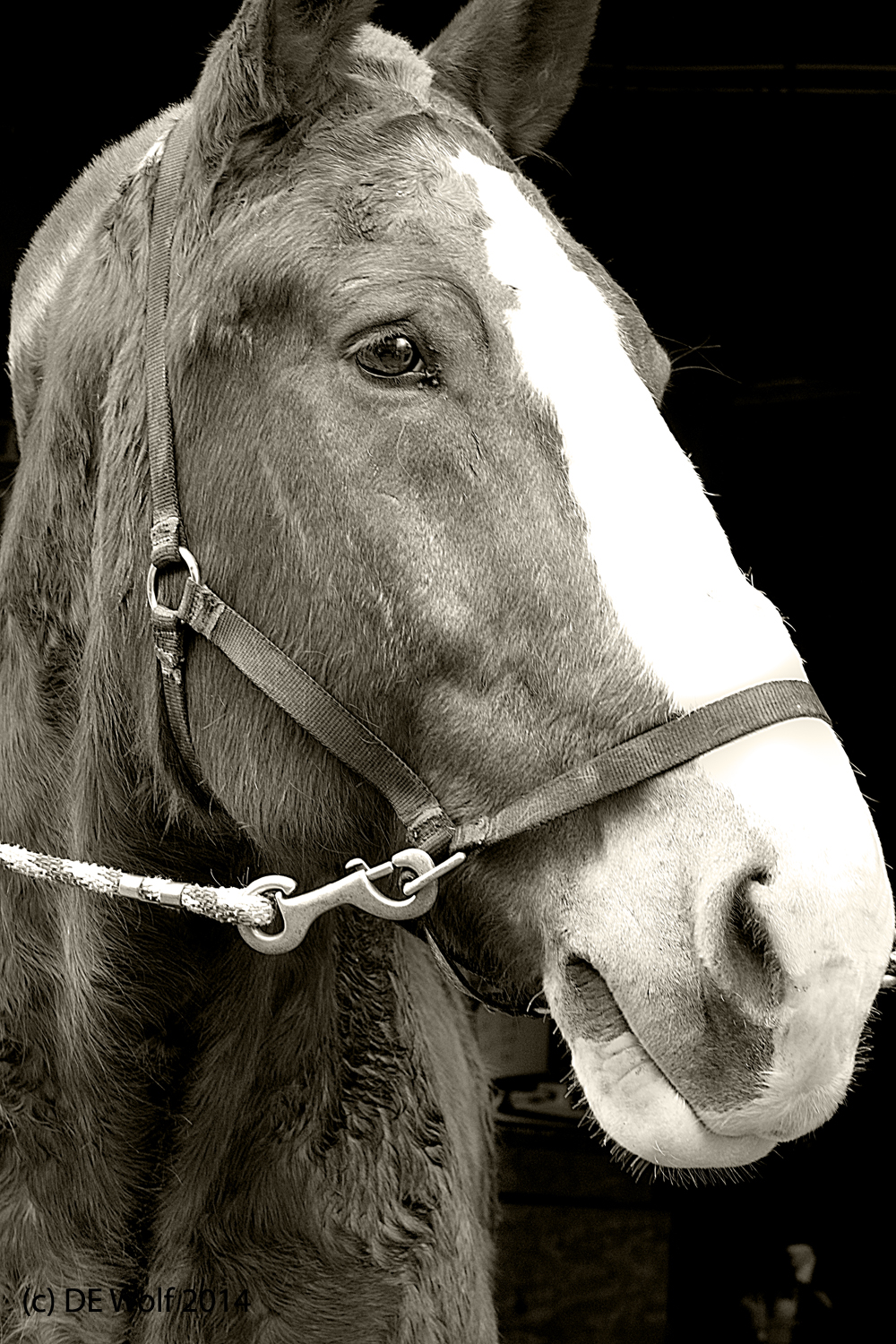
Figure 1 - Palmetto Carriage Horse, Charleston, SC, (c) DE Wolf 2014.

Figure 1 – Palmetto Carriage Horse, Charleston, SC, (c) DE Wolf 2014.

I actually learned an important lesson about photographing horses while I was in Charleston last week.  I have tried to take pictures of horses over the years and the results have never been very successful in my view – something was lacking.

Charleston has these horse drawn carriages and wagons that ferry people on historic tours of the city.  I apologize to all you romantics out there.  But this does not look like a happy situation to me – that is from an equine perspective.  And I gather that these carriages are just as controversial as the Central Park carriages in New York City.  The bottom line appears to be that either a 2000 pound Palmetto horse or a pair of mules pulls something like thirteen people through town.

I found nothing photogenic about any of this.  We have a carriage pulled by a team of Clydesdales in the Fourth of July parade in our home town, and the horses really appear to be happy and proud of what they are doing.  I’ve snapped away at this; but never got anything that I liked.

Then I came across the very self assured, beautiful, fellow resting in front of the stables shown in Figure 1.  He almost appeared to have a smile on his face, and I took several photographs of him.  As I came around on his side, I realized that he was intently looking at me, following my every move.  He was engaged and for once I liked the end result.  I can contrast what I consider to be a successful image with one I took more head on.  Eye contact and engagement were lost.  The horse loses his persona and becomes an object.

The point is obvious.  Animals are people too, and just as you have to engage with a person to do their portrait justice; so too with horses, and dogs, and cats.  I have a friend Karla Cook, who is wonderful artist and one of her specialties is pet portraits.  I just love these pictures.  I’m guessing that she could have told me this.